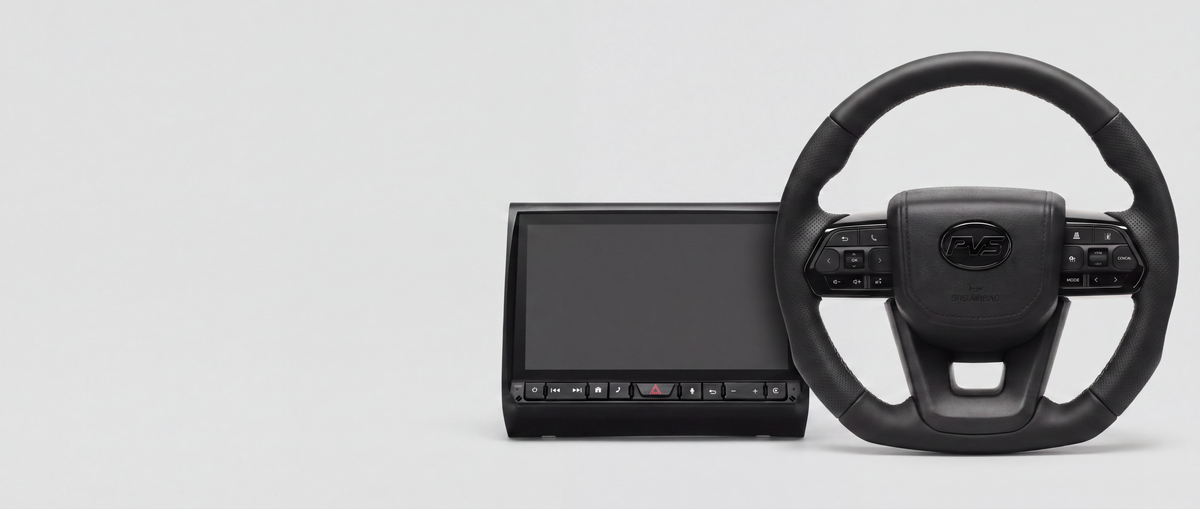

Use this article if…
- You've fitted a PVS steering wheel on a 100 or 105 Series and the buttons don't all work.
- A 3-pin plug at the clock spring doesn't go anywhere.
- You want cruise control to keep working on the new wheel.
- You're not sure where the receiver plugs into your headunit.
Check what the clock spring carries
Know what's at the column before you wire anything.
The clock spring carries the horn wire, plus a separate 3-pin plug if your cruise stalk is the older three-wire type. Nothing new runs through the clock spring.
The 3-pin plug is the factory cruise plug. It won't connect to the wheel, and that's normal.
Power the wheel end
The buttons only work if the transmitter has power.
- Take the horn feed to the back of the new horn pad.
- Take the same horn feed to the wireless module transmitter behind the wheel.
- Ground the transmitter to the steering wheel.
- Leave the horn booster lead disconnected on this clock spring. The wiring diagram says DO NOT CONNECT.
The horn booster never goes into the 12 pin steering controls plug.
Connect the receiver to your headunit
Where the receiver plugs in depends on the headunit brand.
- Pioneer, Kenwood, Sony or JVC. Use the 28-pin to 3.5 mm patch lead. Key 1 and Key 2 on the loom aren't used, so tape them off separately.
- Alpine. Plug the 3.5mm jack into the 3.5mm steering remote socket. It's on the headunit body or on the patch loom harness with the microphone. Never use the main loom's REMOTE leads.
- Three steering wires and no 3.5 mm socket. Join the loom's Key 1 and Key 2 wires to the unit's two steering inputs. The third wire is ground and doesn't need connecting. The unit then learns the buttons.
If your headunit is a Pioneer, Sony, Kenwood or JVC, the headunit lookup shows the exact input for your model.
Set up the buttons
Most of the wheel needs no setup, and the rest is learned on the headunit.
The module ships pre-paired, so there's no pairing step. On most brands you learn each button on the headunit. The Alpine variant just plugs in with no learning.
Phone, Vol -, Vol + and Voice are available on all wireless modules.
The cruise buttons (+RES, -SET, CANCEL and Cruise On/Off) can't be mapped to a headunit, so they never show up in the SWC app.
Keep cruise control
Cruise depends on your cruise stalk, not your build year.
Keeping cruise needs the 3 Wire Cruise Control Retention Module. It's sold separately and wired in, and it moves cruise to the right-hand wheel buttons. Whether you need it comes down to which cruise stalk your vehicle came out with.
Send a photo of the cruise stalk plug in a support ticket and we'll confirm before you buy. Without the module the 3-pin plug stays unplugged and only cruise is lost. The horn and steering controls still work.
Check your detonator size first
Only the 3 inch detonator seats in the new wheel. The 4 inch is the early Toyota part and is too large to seat. A 3 inch one from a wrecker is a straight swap.
If the buttons are dead
Dead buttons usually mean no power at the wheel.
- Turn the ignition on and check the receiver behind the headunit is lit solid red.
- Turn the parkers on and check the wheel buttons are backlit.
- If the wheel buttons are dark, check the horn feed to the transmitter.
Still stuck? Tell us what's happening in a support ticket and we'll suggest the next step.